.png)
 Claude
 ChatGPT
 Gemini
Every single minute, ~1.9M feed updates are viewed on LinkedIn.
But most of it disappears from the feed within a few hours. People read, react, scroll, and forget.
When it comes to sharing expertise, most creators default to short-form posts. LinkedIn articles are often dismissed in favor of the quick reach and visibility offered by LinkedIn posts.
But if your goal is to build lasting influence and stay relevant over time, which format really works best?
Posts require time and consistency. But writing articles demands even more effort in terms of structure, clarity, and depth.
Still, skipping this format without understanding its value isn't a smart move for anyone looking to tap into LinkedIn’s full potential.
Establishing authority and credibility comes from doing the right things efficiently.
This article will give you a comprehensive understanding of how LinkedIn posts vs LinkedIn articles work, and how to use each to get the best results.
What Are LinkedIn Articles?
LinkedIn articles are blog-style posts that you can publish on your own LinkedIn profile.
They’re great for diving deep into a topic in your niche. You can break down ideas without worrying about length. Plus, they leave a lasting showcase of your expertise and viewpoints on your profile.
Executives use LinkedIn to boost their reputation and build a strong digital presence. If you want to build thought leadership in your industry and keep your name, brand, and insights top of mind, articles are a powerful way to do it.
Publishing in-depth analyses and detailed breakdowns in your niche shows you lead conversations. It also adds to your credibility.
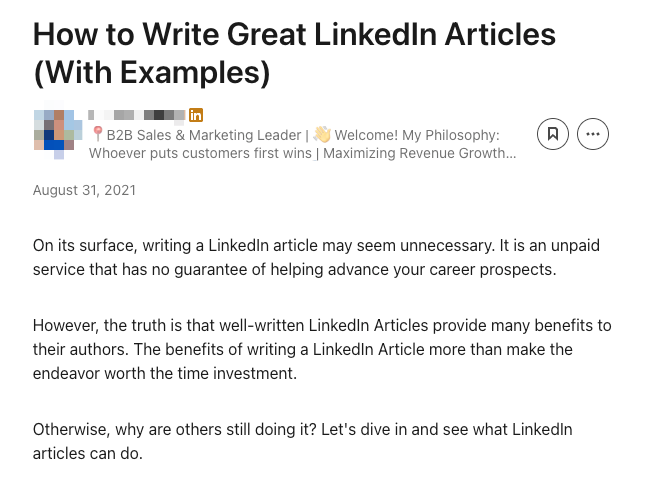
Highlights of LinkedIn Articles
1. Character Limits
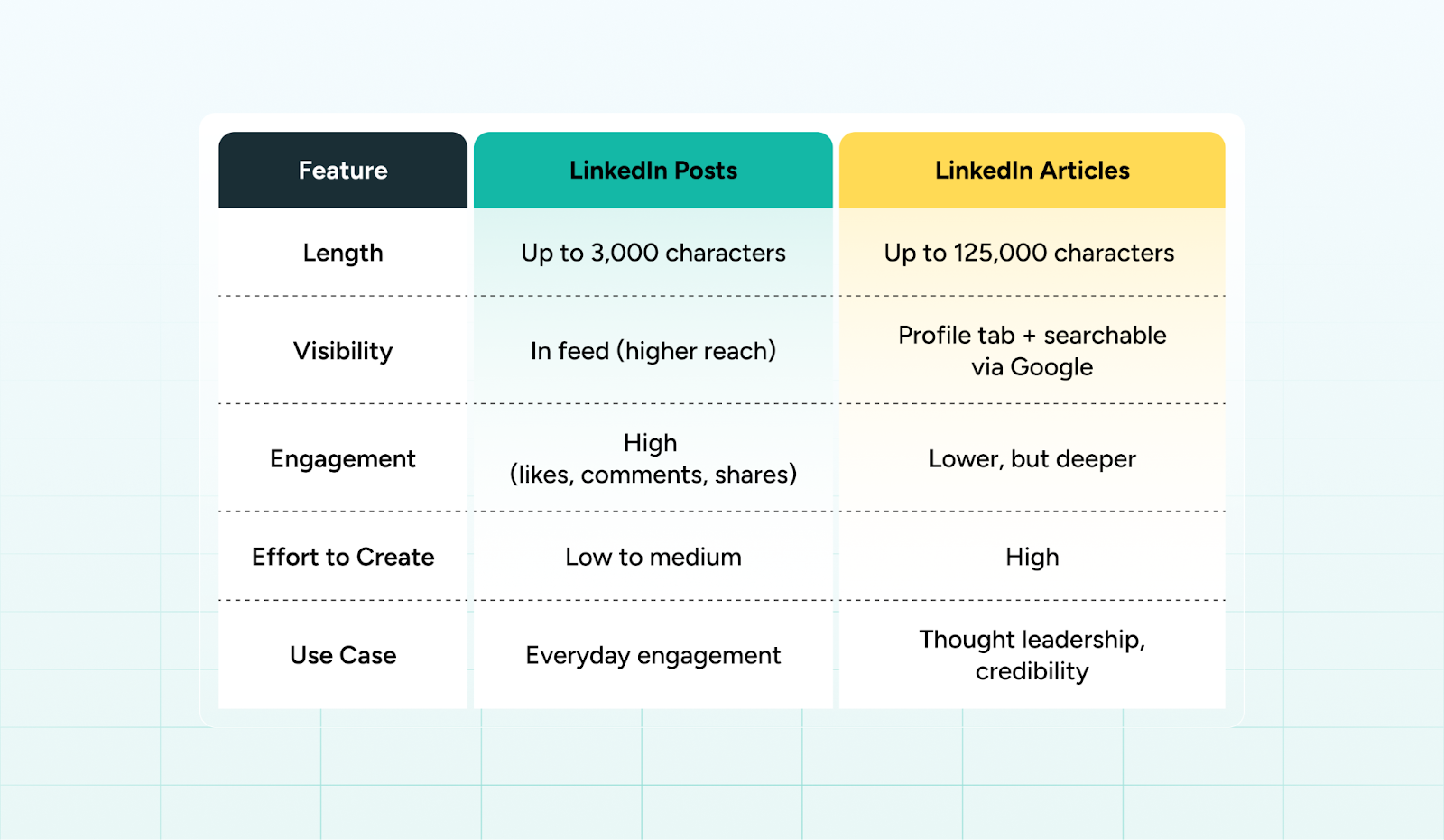
Unlike LinkedIn posts, which are capped at 3,000 characters, articles can go up to 125,000 characters.
This makes articles perfect for:
- Explainers and how-to guides
- Industry analysis
- Frameworks, playbooks, and original insights
- Evergreen content you want to reference repeatedly
2. Varying Formats
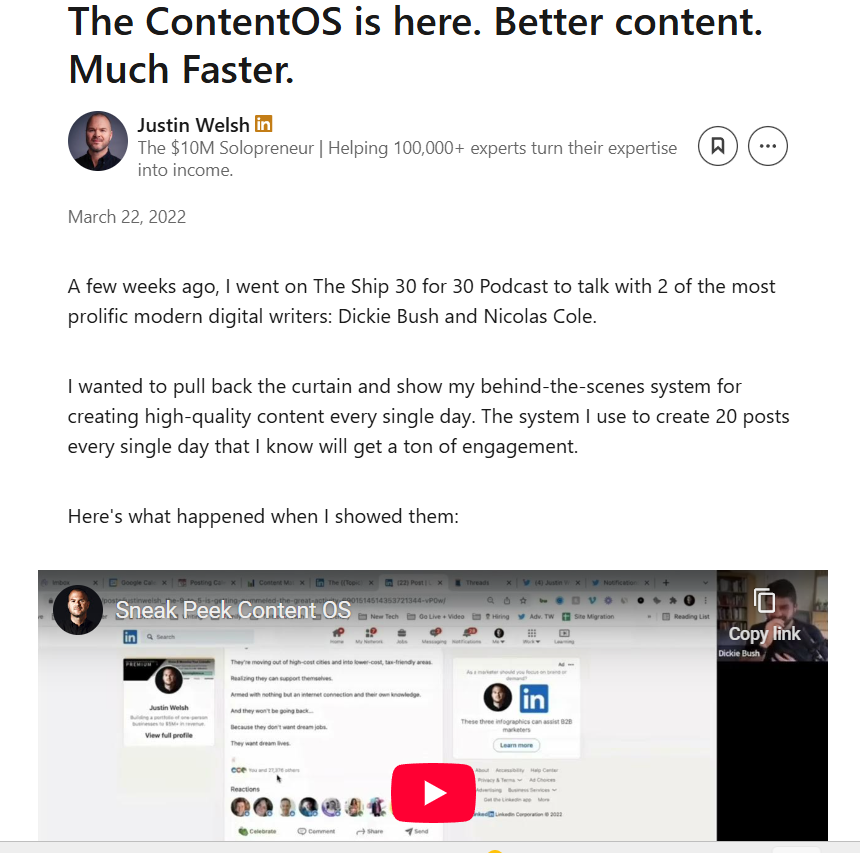
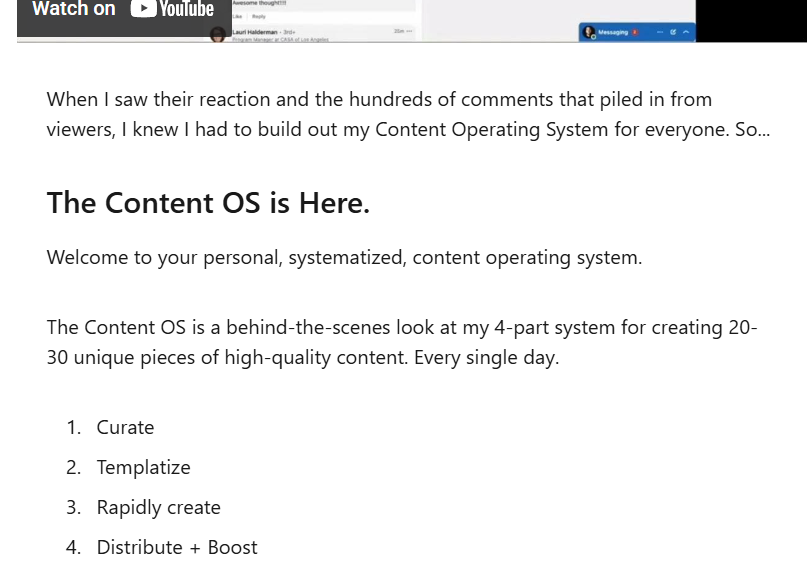
LinkedIn articles support rich formatting, including:
- Headings and subheadings
- Bullet points and numbered lists
- Images, links, and embedded media
3. Attract Higher-Quality Readers
Even if fewer people read your article, those who do are more valuable. Long-form content demands time and focus. This signals that they truly care and see value in your perspective. These readers are more likely to become collaborators or clients.
4. Google SEO and LinkedIn Articles
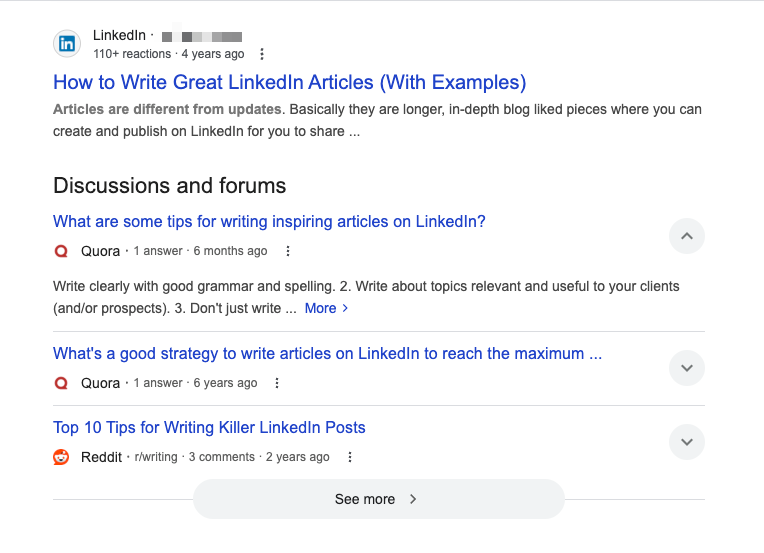
While LinkedIn articles live on your profile in a dedicated “Articles” section, they are also discoverable through search engines like Google, giving them a longer shelf life compared to posts.
Why Is This Important?
Let’s say you publish blogs on your personal website, optimized for SEO. Even with strong keywords, it usually takes time to build domain authority and rank on Google. But when you post an article on LinkedIn, you’re leveraging one of the internet’s highest-authority domains. If your topic is relevant and your article includes the right keywords, it has a better chance of ranking faster than a new website can manage.
And when your article ranks on Google, it opens the door to:
- Continuous inbound traffic to your LinkedIn profile
- Increased visibility among non-followers
- More authority in your niche, even outside LinkedIn
- Opportunities to repurpose or link back to your website or offers
5. Effective During Profile Visits
When someone visits your profile, articles are easier to explore than posts. If they read your work, your detailed writing shows your personality, expertise, and viewpoint clearly.
Downsides of LinkedIn Articles
1. Demanding of Time and Effort
Writing an article isn’t as quick as posting a thought or insight. You need to either know your topic in depth or research it thoroughly. Either way, it takes significantly more time and effort than a typical LinkedIn post.
2. Doesn’t Appear in the Feed Automatically
When you publish an article, it doesn’t automatically show up in your connections’ feeds like posts do. To get visibility, you’ll need to create a separate post to promote it.
3. People Don’t Read
With attention spans shrinking, even short posts struggle to get noticed. Long-form content like articles often gets overlooked, making it harder for your writing to reach the right people unless it’s highly relevant and well-promoted.
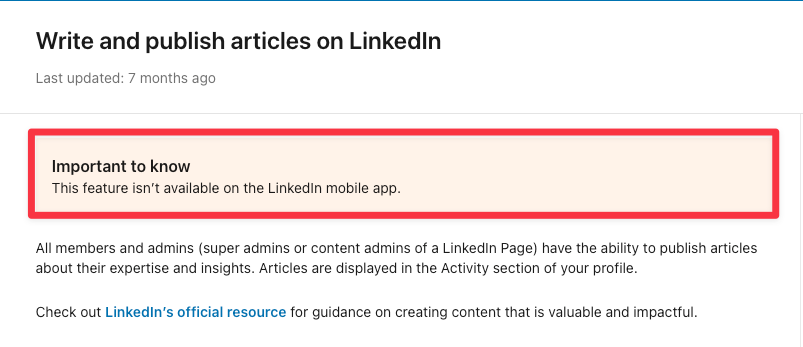
4. Not Available on Mobile App
LinkedIn doesn’t currently allow article publishing via the mobile app. This limits flexibility and makes it harder to write on the go. That said, it might be intentional. Articles are meant to be thoughtful, structured pieces that require focused time.
5. Slower Engagement
Because articles don’t show up in feeds automatically, they often receive fewer reactions and comments compared to posts. Conversations are harder to start. But the readers who do engage tend to be more invested, and that still counts.
When to Use LinkedIn Articles
The downsides might tempt you to avoid LinkedIn articles altogether, but in the right context, they can work just as well as posts.
1. To Share In-Depth Analysis
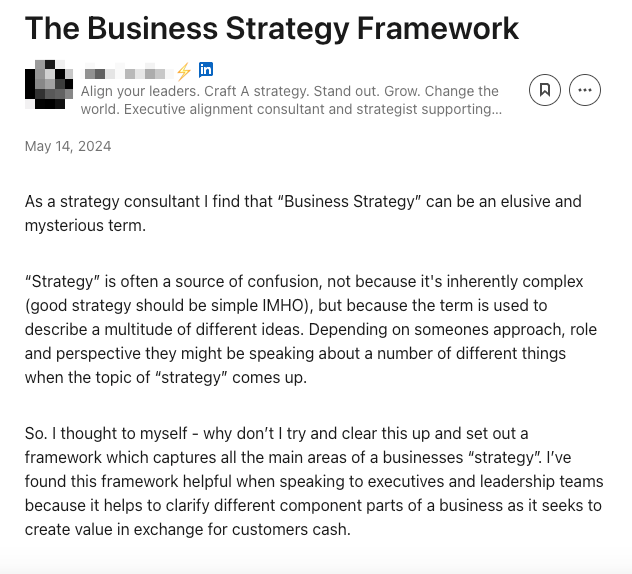
Some ideas are too layered to squeeze into 3,000 characters. Unpack a trend. Dissect a process. Reflect on a complex challenge. LinkedIn articles let you dive deep into topics without holding back. This is where your expertise really stands out.
2. To Provide Industry Explainers
If you often explain the same idea, like a new rule, a tech trend, or a confusing process, write an article about it. Articles are a great way to teach many people. They help make complex topics easier to understand in your field.

3. To Offer Strategic POVs
When you want to share your views on the industry's future or present new ideas on common challenges, posts can seem limiting. Articles let you share your views, support them with facts, and spark real conversations.
4. To Create Evergreen Reference Content
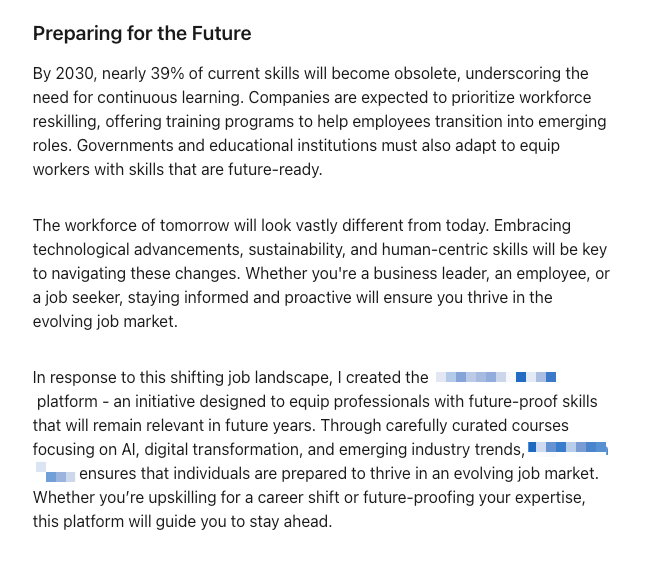
Articles permanently reside on your profile, and Google indexes them. They are ideal for timeless, high-value content. This includes frameworks, step-by-step guides, and thought leadership pieces. You want people to discover and revisit these long after they are posted.
What Are LinkedIn Posts?
LinkedIn posts are short-form content pieces you can share directly with your network. Active LinkedIn users often use this format. It helps with visibility, maintains a consistent presence, and builds thought leadership.
To get noticed on LinkedIn, post consistently. Share your updates at the same time each day. This makes you more relevant and helps you connect with a larger audience. It also keeps you fresh in their minds.
After optimizing their profile, most professionals see posting as the next best step to grow on LinkedIn. Posts show up in the feed. They are quick, engaging, and conversational. This makes them great for sparking reactions, starting chats, and showing your standpoints.
Highlights of LinkedIn Posts
1. Different Post Formats on LinkedIn
LinkedIn offers several engaging formats within posts to help your content stop the scroll.
Text‑Only
This is great for storytelling and opinions, but demands concise, compelling copy.
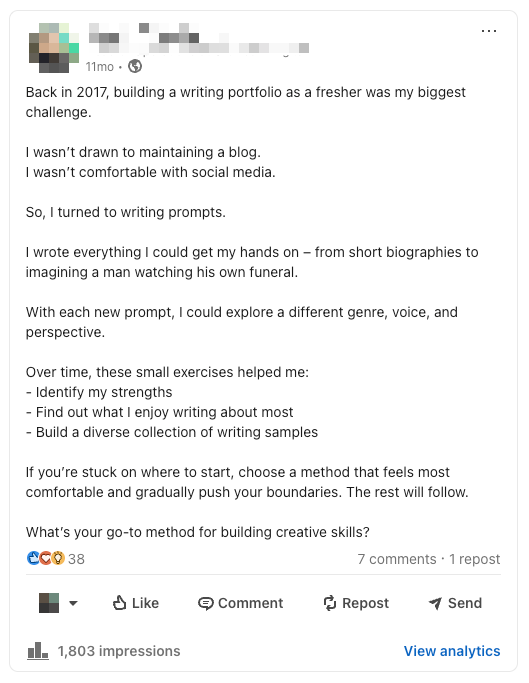
Image
Add a relevant visual to increase real estate in the feed. Images draw attention and are widely used by creators to boost engagement.
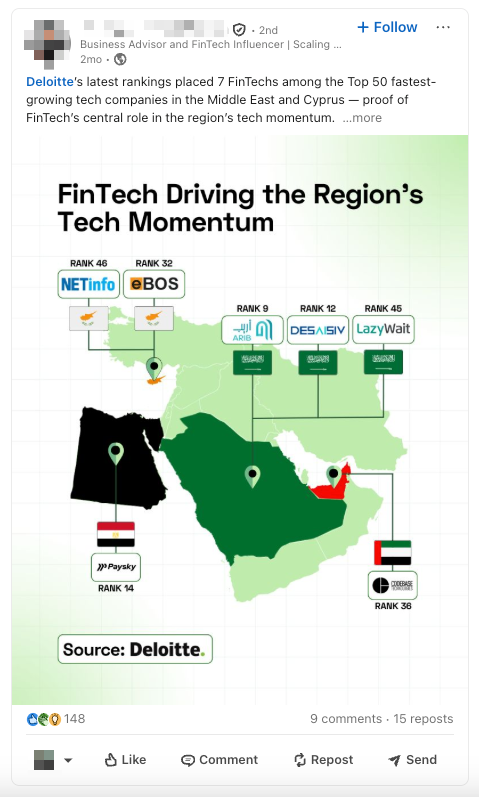
Video
A growing favorite, especially since the algorithm favors video content . Accompanied by text, they often perform best.
Carousels
Perfect for breaking down complex concepts into digestible, slide-based visuals. They are highly engaging and visually appealing.
Polls
Interactive and great for sparking conversations. LinkedIn has received feedback that polls are being overused. So, they are working to show polls that are more relevant and helpful for users.
When used wisely, they can help gather opinions. This is especially true in product development and research.
2. Easy to Create
Some posts take hours of effort and time. But generally, if someone wants to create a decent LinkedIn post, they can do it with minimal research and time.
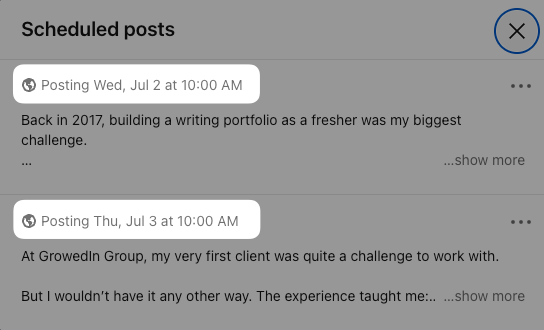
3. Scheduling Feature
LinkedIn offers a built-in scheduler that helps you schedule posts in advance. This allows you to time your posts during peak hours and stay consistent with your content.
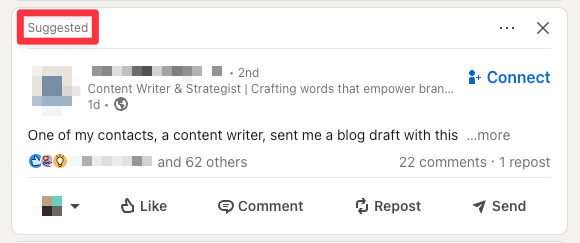
4. Appears on the Feed
LinkedIn brings your posts to the feeds of others for a full day after you post. This gives everyone a chance to read or ignore your post. It even shows up for people outside your network under “Suggested”.
5. Engagement
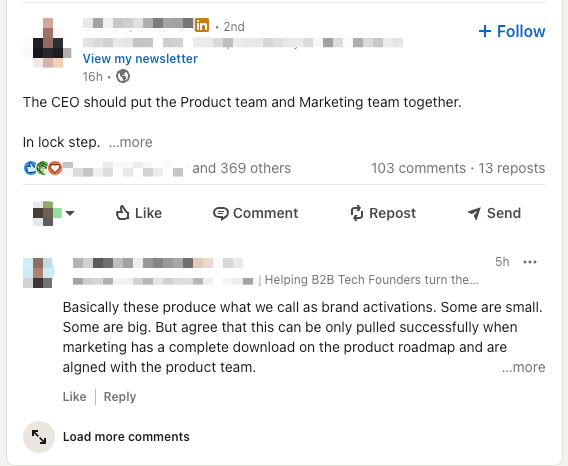
It’s easy for people to engage with your post. They can quickly react, comment, and share their perspectives.
Downsides of LinkedIn Posts
1. Disappears Quickly
LinkedIn posts are most visible in feeds only for a few hours after publishing. If people don’t engage with your content soon, it’s unlikely to resurface organically. However, you can revive older posts by turning them into new formats, such as carousels or videos. Or, you can reshare them with new comments or updated context.
2. Limited Size
Posts have a character limit of 3,000. If you want to write something detailed but aren't ready for an article, you're stuck with this limit.
3. Not Optimized for Google
Even if you include keywords, posts generally don’t rank well on Google. They don’t aim for search visibility, unlike articles. This means their reach is mainly on LinkedIn.
4. Hard to Revisit Later
Even if you’ve written high-value posts in the past, they can get buried over time. Unless someone saves or shares them, they are difficult to find again.
When to Use LinkedIn Posts
1. To Stay Consistent
If you're looking to show up regularly, posts are the way to go. The more people see your name and ideas, the more they link you to a certain area, skill, or viewpoint.
Being consistent builds trust and helps people remember you. This way, you're more likely to be thought of when opportunities show up.
2. To Document Your Journey
LinkedIn posts are perfect for turning your day-to-day work into meaningful content. Posts let you share quick stories, wins, or lessons from projects. You can express real-time thoughts without the need for a full article's structure.
3. To Join or Lead Trends
Want to share your take on a trending topic? Posts work best. They’re short, timely, and show up right in the feed of people who care about that trend. You can add your voice when it matters most, without needing to write long-form.
4. To Build a Content Strategy
Posts make it easier to build a repeatable content system. Start by identifying 3–4 core themes you want to be known for; these are your content pillars. You can share client stories, industry trends, personal growth, and work tips. After choosing your topics, assign one to each day.
This way, you can plan your posts ahead of time. It helps you stay consistent and avoid burnout.
LinkedIn Posts vs LinkedIn Articles: Key Differences
To understand which one is better or how to use each to achieve the best results, we should understand the prominent differences between the two.
Posting Frequency and Consistency
LinkedIn Posts
A lot of people claim that posting every day works best on LinkedIn. And sure, it does help with the algorithm. But you don’t have to post daily. Posting less, like 3 to 5 times a week with solid, thoughtful content at consistent timings, works just as well. That’s better in many cases.
You focus more on depth and quality instead of rushing to post something every single day. Otherwise, it’s easy to fall into the trap of sharing surface-level stuff just for the sake of showing up. Posting every day can sometimes have negative effects for those with significant experience.
If you're constantly chasing daily engagement, it might not align with the authority and trust you've built over time. You don’t need to show up every single day. What matters is showing up with deep, authentic value at consistent intervals.
There’s a difference between simply building a personal brand and representing an already established name. The second one comes with higher stakes. You have to be more intentional about how you show up and how you're perceived.
LinkedIn Articles
2 to 3 articles a month is a good rhythm. It gives you space to go deeper into a topic, without it becoming overwhelming. And over time, this adds up. Your profile starts to look like a goldmine of valuable content.
So when someone checks your profile and clicks into the 'Articles' tab, they’re not just seeing posts, they’re seeing long-form, useful insights. That’s how you quietly build authority and trust.
Conclusion: Which One Works Better?
If you have to choose one, LinkedIn posts are the most sustainable option. They’re simple to create, friendly for feeds, and help you stay in front of your audience often. They build momentum and contribute consistently to your personal brand.
But that doesn’t mean you should ignore LinkedIn articles. Articles serve a different purpose. They show your expertise, provide depth, and create evergreen content. This content stays on your profile and ranks well on Google.
LinkedIn articles are about long-term credibility. Treat LinkedIn posts as your daily bread and articles as your weekend feasts. That balance makes your LinkedIn presence strong and steady.
At GrowedIn, we help you turn LinkedIn into a powerful channel for reputation-driven business growth, without burning out or missing out. We’ve spent years mastering the platform, so you don’t have to. Schedule a call, and let’s explore how we can build your LinkedIn brand together.

Frequently Asked Questions
Are LinkedIn newsletters and LinkedIn articles the same?
No. They’re similar in format (both long-form), but newsletters are part of a series that people can subscribe to. Articles are standalone pieces with no subscriber base. Newsletters also notify all subscribers when a new edition is published, so they tend to get more initial visibility.
Do scheduled posts perform worse than live posts?
Not necessarily. LinkedIn does not penalize scheduled posts, as long as they’re high-quality and audience-relevant. Scheduling simply helps with consistency.
Can’t I just stick to posts and still grow my brand?
Yes, especially if you're consistent. But articles help you build credibility and authority. This is important for long-term trust and reputation.
Will articles harm my reach since they don’t appear in feeds?
Not if you reshare them as posts. Articles need promotion, but they offer more value over time than a one-time post engagement.
How do you reuse articles as posts?
Summarize key insights, turn them into carousels or short-form posts, and link back to the original article.
How do I measure the success of my LinkedIn articles?
Monitor views, likes, comments, and shares on LinkedIn. Also, see how articles affect profile visits, connection requests, and lead conversations.
LinkedIn Articles vs LinkedIn Posts: Which One Works Better?
- LinkedIn posts are easier to create and help you stay consistently visible to your audience.
- LinkedIn articles take more effort but offer depth, authority, and longer-term value.
- Posts appear in the feed and are great for engagement, but fade quickly.
- Articles don’t appear in feeds automatically, but stay on your profile and rank on Google.
- Posts work well for real-time thoughts, updates, and trend commentary.
- Articles are better suited for detailed insights, frameworks, and evergreen content.
- Article readers are usually more invested and relevant to your goals.
- A healthy mix of both builds trust, visibility, and long-term credibility.
- Articles help you stand out when someone visits your profile or Googles your name.
- If you’re short on time, prioritize posts, but don’t skip articles if you want to lead your niche.


Insights Hub
Employer Branding on LinkedIn
The Best Time To Post on LinkedIn In 2026