.png)
 Claude
 ChatGPT
 Gemini
LinkedIn members engage with LinkedIn Pages more than 2 billion times every month. If your organization does not yet have a LinkedIn company page, you may be missing out on valuable visibility that strengthens credibility and brand awareness.
Your personal profile helps people understand who you are, but it does not fully represent your business. It does not always answer clear questions about what you do or what you offer.
A company page gives your business its own space on the platform. Let us learn more about what it is and how to create a company page on LinkedIn.
What Is a LinkedIn Company Page?
A LinkedIn company page is a dedicated business profile on LinkedIn that represents your organization, not an individual. It acts as your brand’s official presence on the platform, where people can learn about your company, follow updates, view job openings, and understand what you do at a glance.
You should create a LinkedIn company page if:
- People frequently visit your profile to learn more about your business
- You sell products or services and want a credible, professional brand presence
- You are hiring or plan to hire
- You want to run LinkedIn ads or generate leads
- You want to separate your personal brand from your company identity
A well-structured company page brings clarity to your positioning and strengthens your presence in a way a personal profile alone cannot.
Advantages of Creating a LinkedIn Company Page
1. It acts as a trust engine
It is 2026, and just having a website isn’t enough. Your prospective customers and candidates will do an exhaustive search across the internet to find anything and everything about your company. A LinkedIn business page helps you reiterate your brand’s mission, vision, and values. This, along with regular content publishing, helps build trust and assures them that they are choosing a good solution partner.
2. It helps you rank higher and get more website traffic
LinkedIn content is indexed by search engines. Regular updates on your company page can increase your visibility in search engine results, driving more organic traffic to your website. Please note that links from the LinkedIn company page to your website are usually no-follow links. This means they won’t directly boost your website's SEO ranking like do-follow backlinks do. However, they can still drive traffic to your site and increase your visibility, which is always a good thing!
3. It helps you generate relevant leads
LinkedIn company pages also let you run highly targeted, objective-based ads on the platform. If you’d like to add more leads and fill in your pipeline, you can experiment with running a couple of campaigns for Conversion Ads & Lead Gen Forms to find out which one works better for you.
Without a company page, you are limited to Thought Leader Ads through personal profiles. A company page gives you far more flexibility to build pipeline strategically and test what converts best for your business.
4. It helps you recruit the right talent
Every minute on LinkedIn, around 8.2K job applications are submitted. It is one of the most preferred platforms for potential candidates to look for the right opportunity and for companies to attract the right talent. With your company page on LinkedIn, this process becomes extremely seamless, and you can post a job in just a few clicks.
Let us now look at the different types of company pages you can create on LinkedIn.
3 Different Types of LinkedIn Company Pages
When you create a company page, you get to choose from the three options. Let us look at each of them.
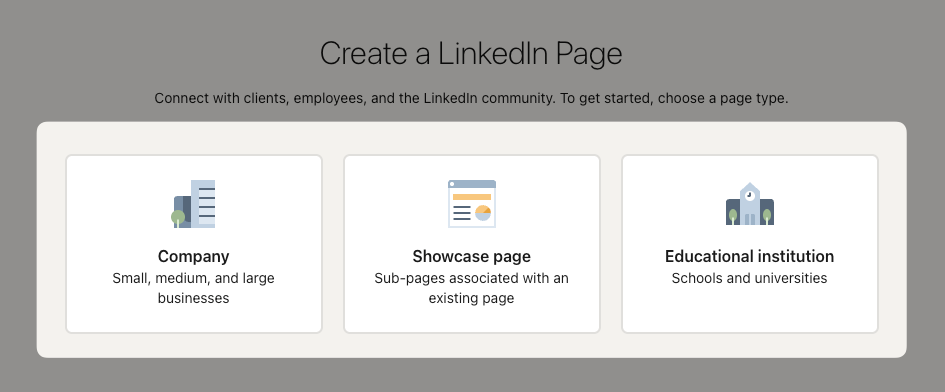
1. Company:
A company page on LinkedIn is a typical business page for a company or organization of any size: small, medium, or large. It is designed to promote the company’s brand, share updates, and engage with followers, including customers, employees, and other stakeholders.
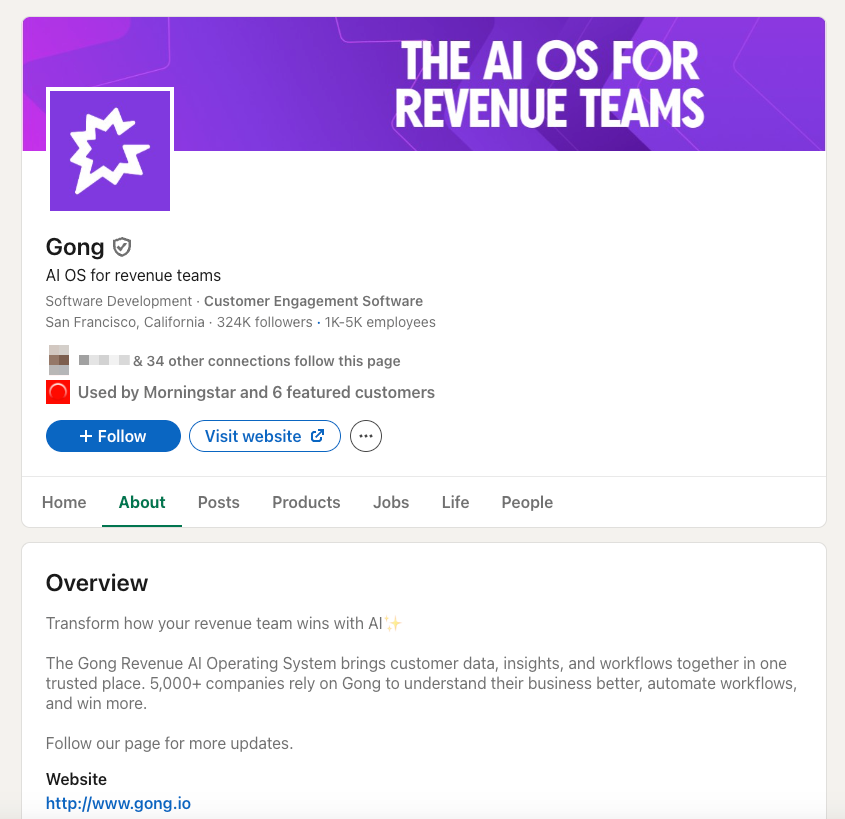
Here’s an example of a good company page:
2. Showcase Page:
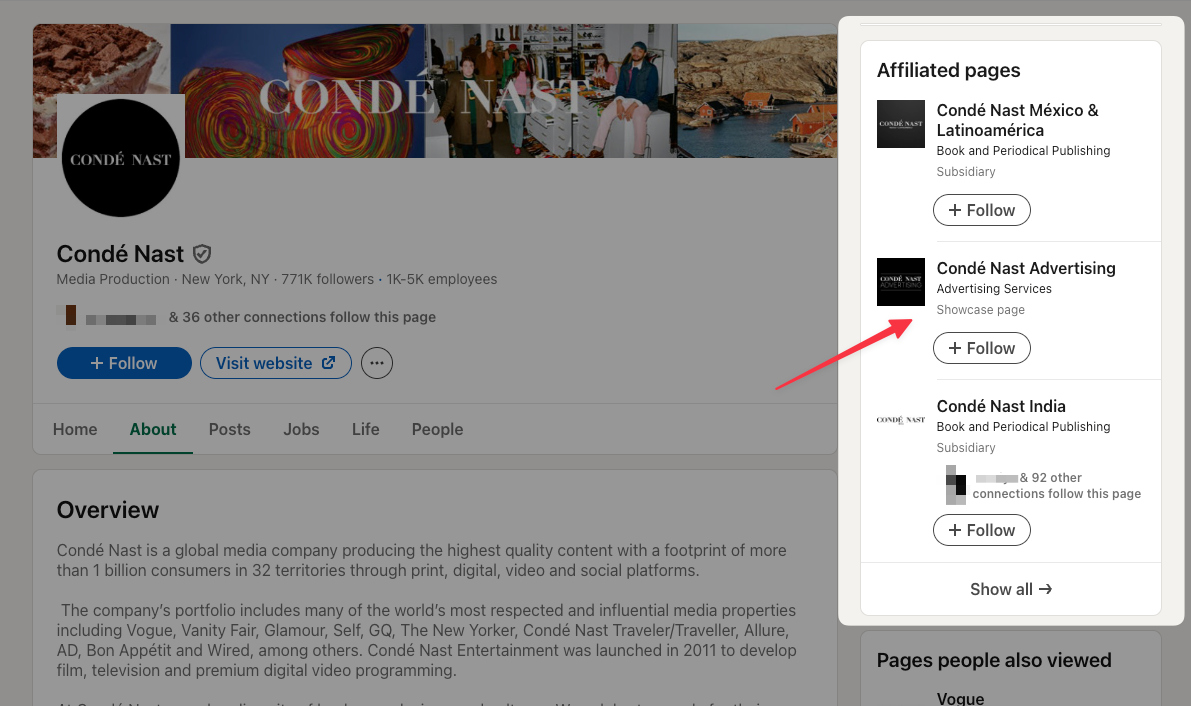
A showcase page on LinkedIn is a sub-page linked to a company page that allows businesses to highlight specific products, services, or initiatives. It is designed to create a dedicated space for marketing different aspects of a company, catering to different sets of audiences.
Here’s an example of a good showcase page:
3. Educational Institution:
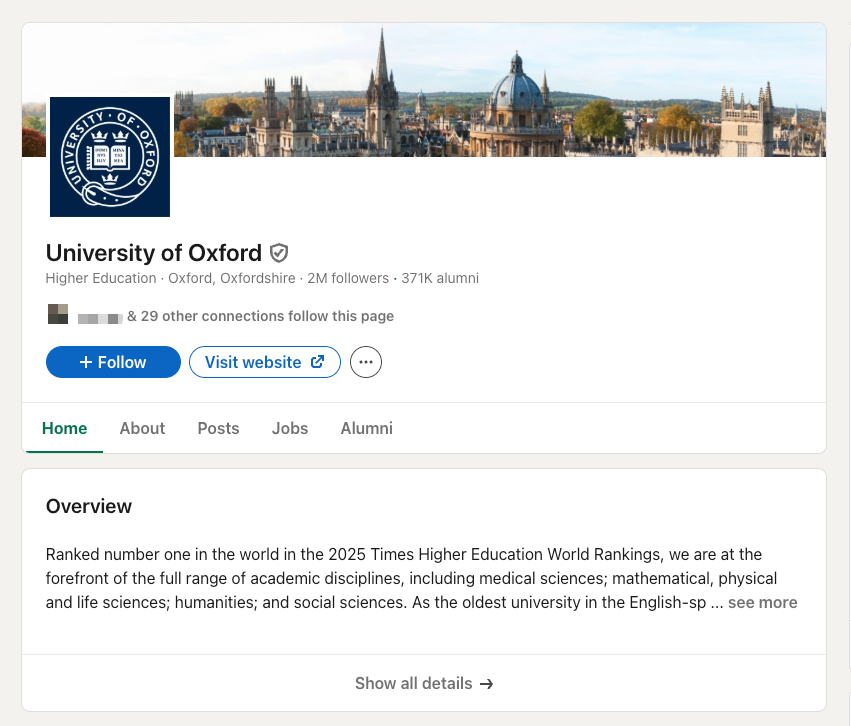
An educational institution page on LinkedIn is a specialized page designed for schools, colleges, universities, and other educational organizations to build their presence on LinkedIn.
Here’s an example of a good educational institution page:
Let us now go through the step-by-step process of creating a business page on LinkedIn.
How to Create a Business Page on LinkedIn (Step-by-Step)
Here’s a detailed step-by-step guide to help you create your LinkedIn company page:
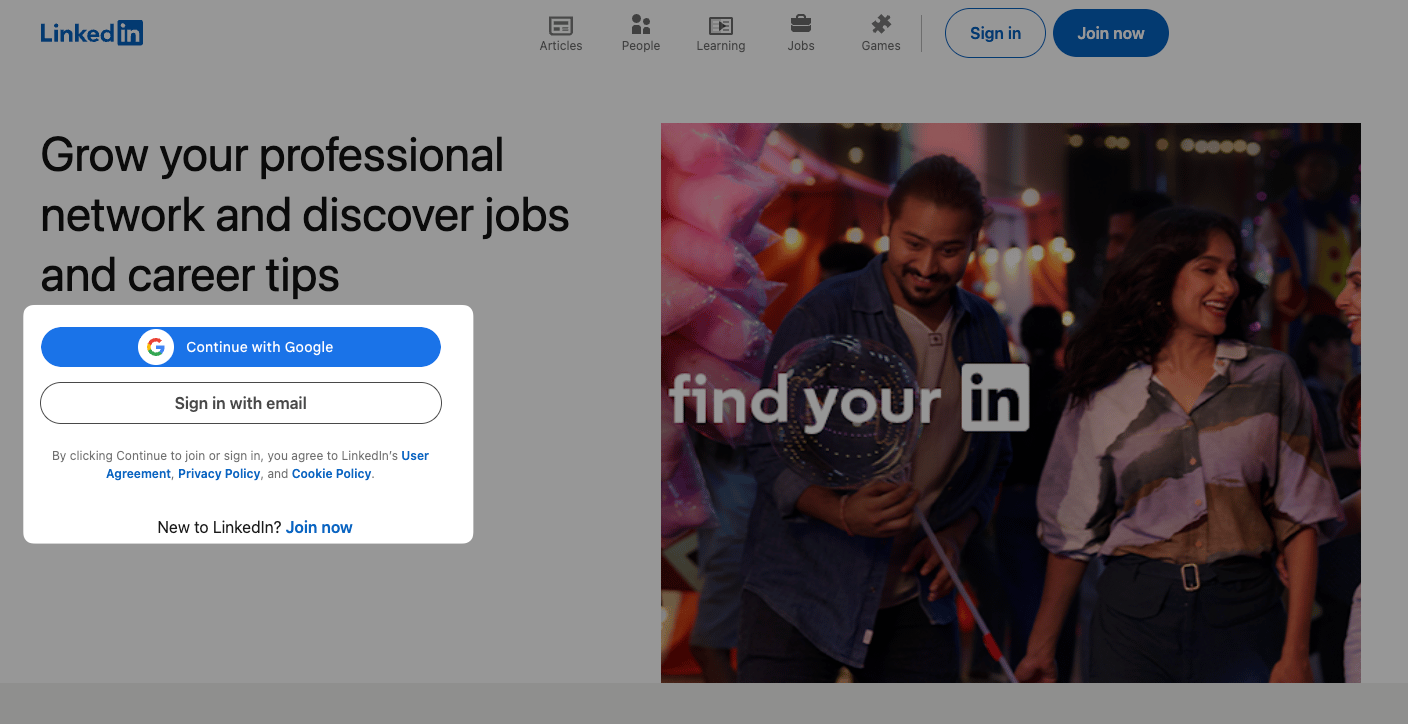
Step 1: Sign In to LinkedIn (if you haven’t already)
Head over to LinkedIn.com and sign in to the platform using your credentials. Please note that you need to have an existing LinkedIn account in order to create a business page.
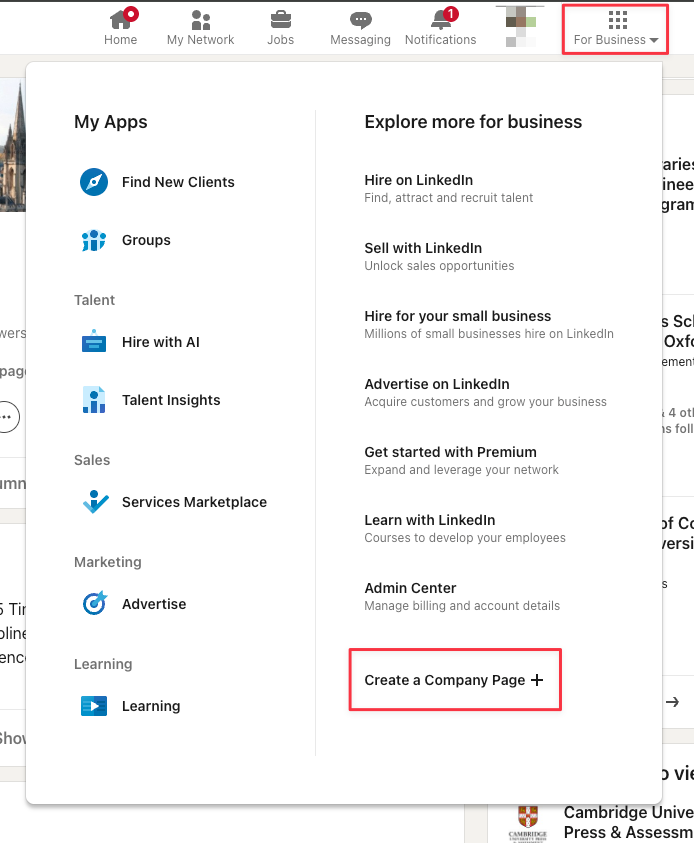
Step 2: Head to the “Create a Company Page” Button
Click on the “For Business” icon (a grid) in the top right corner of your LinkedIn homepage. At the bottom of the dropdown menu, click on “Create a Company Page”.
Step 3: Choose the Type of Company Page
LinkedIn will present you with options for the types of pages you can create, including Company (small, medium, and large businesses), Showcase page, and Educational institution (schools and universities). Choose the one that is relevant to your organization.
Step 4: Fill In the Basic Company Details
You’ll need to specify the following information:
- Name: Enter your company’s officially registered name or brand name.
- LinkedIn.com/company/*: Create a public URL for your LinkedIn company page. LinkedIn will inform you about the availability of your chosen URL. If you type “xyz”, your LinkedIn public URL will be LinkedIn.com/xyz.
- Website: Enter your company’s website URL.
- Industry: Start typing your industry name and select the most relevant option.
- Organization Size: Select the appropriate size of your company based on the number of employees (e.g., 11–50 employees, 201–500 employees, etc.)
- Organization Type: Select the type of company, such as public, private, nonprofit, etc.
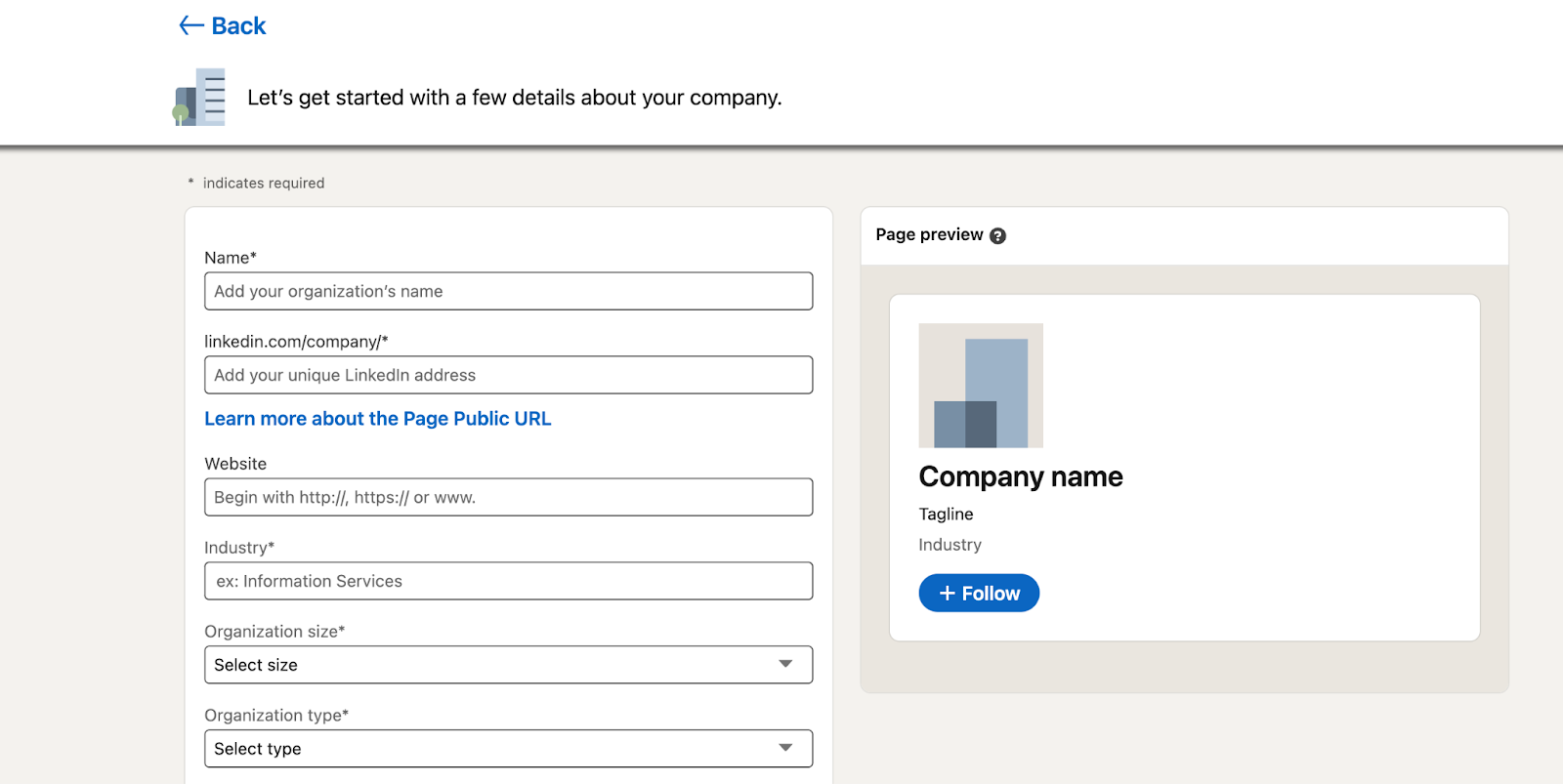
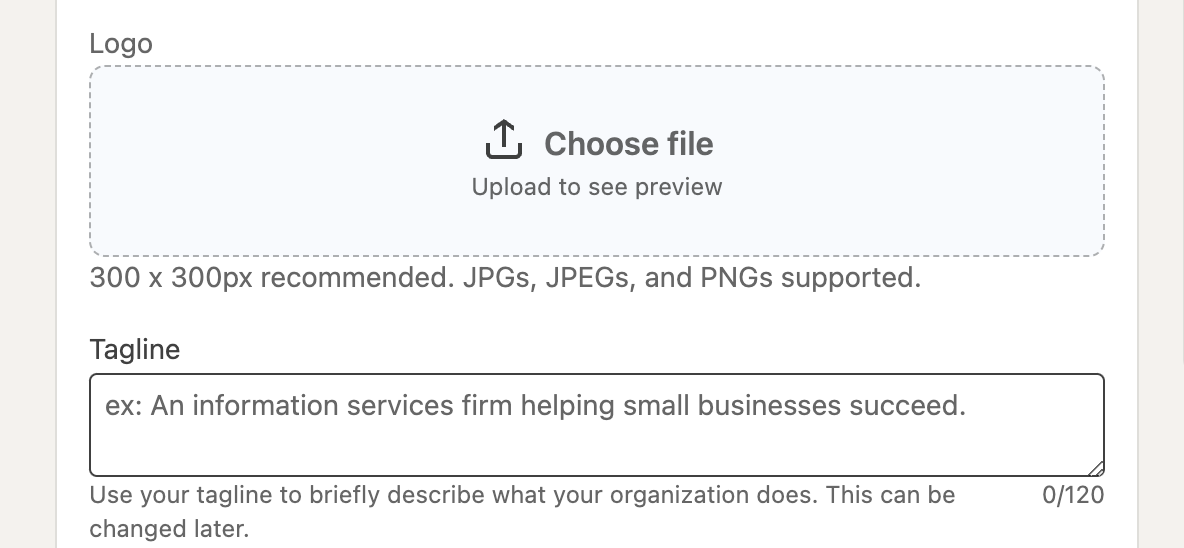
Step 5: Add Your Logo and Tagline
Add the following:
- Logo: Upload a high-quality image of your company’s logo. The recommended size is 300 x 300 pixels.
- Tagline: Enter a brief tagline that summarizes your company’s mission or value proposition in 120 characters or fewer.
Please note that all images must be in PNG or JPEG format and should not exceed a maximum file size of 3MB.
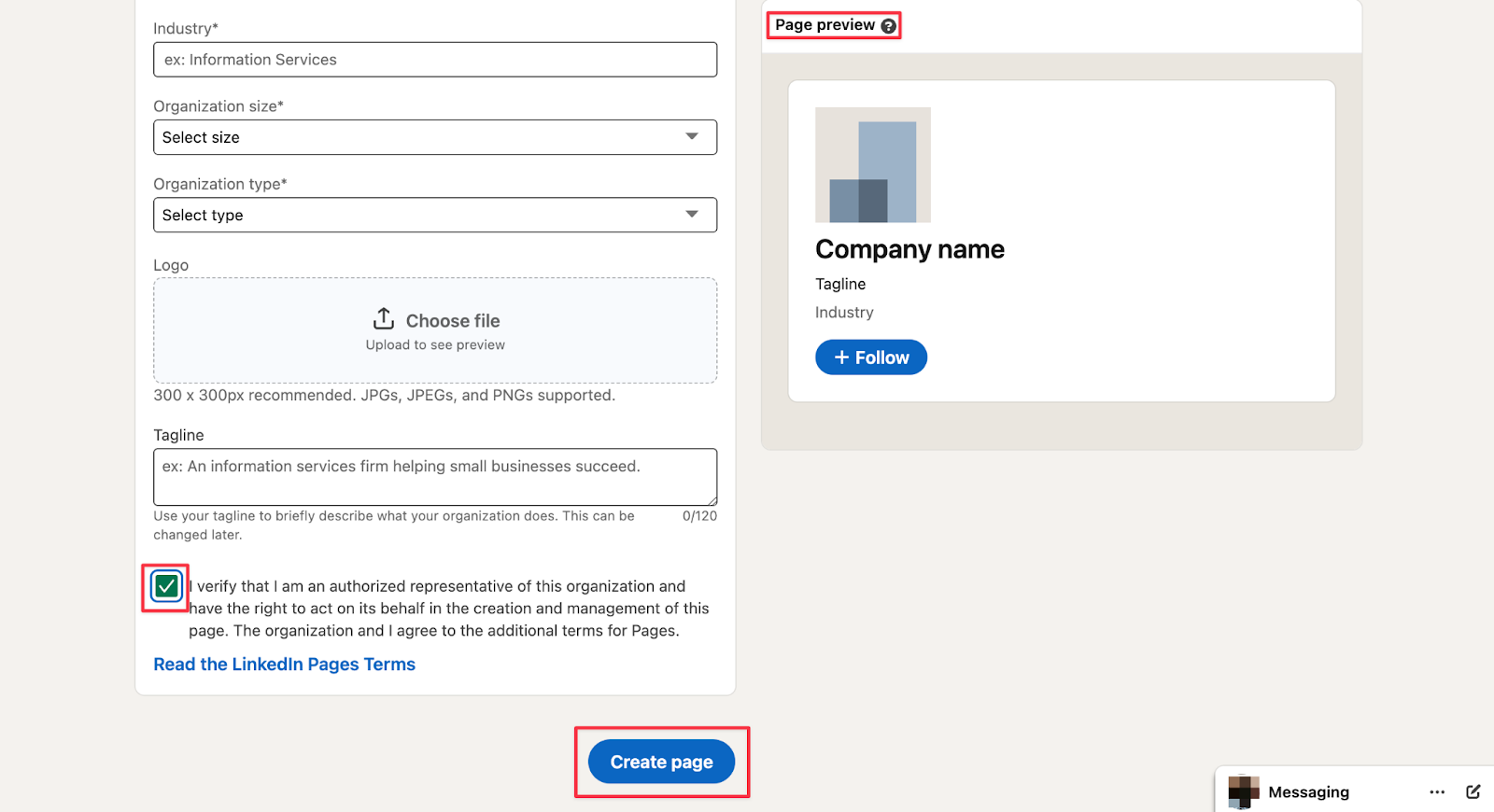
Step 6: Review and Create Page
On the right-hand side, you will find a preview of the information you’ve entered. You can review the data here before you proceed. Once you are satisfied, mark the verification box to state that you have the authority to represent the company or school. Finally, click on the “Create Page” button.
Step 7: Complete Your LinkedIn Company Page
Now, you will be able to access the admin view of your LinkedIn company page. This is a dashboard where you can manage and make adjustments to your page.
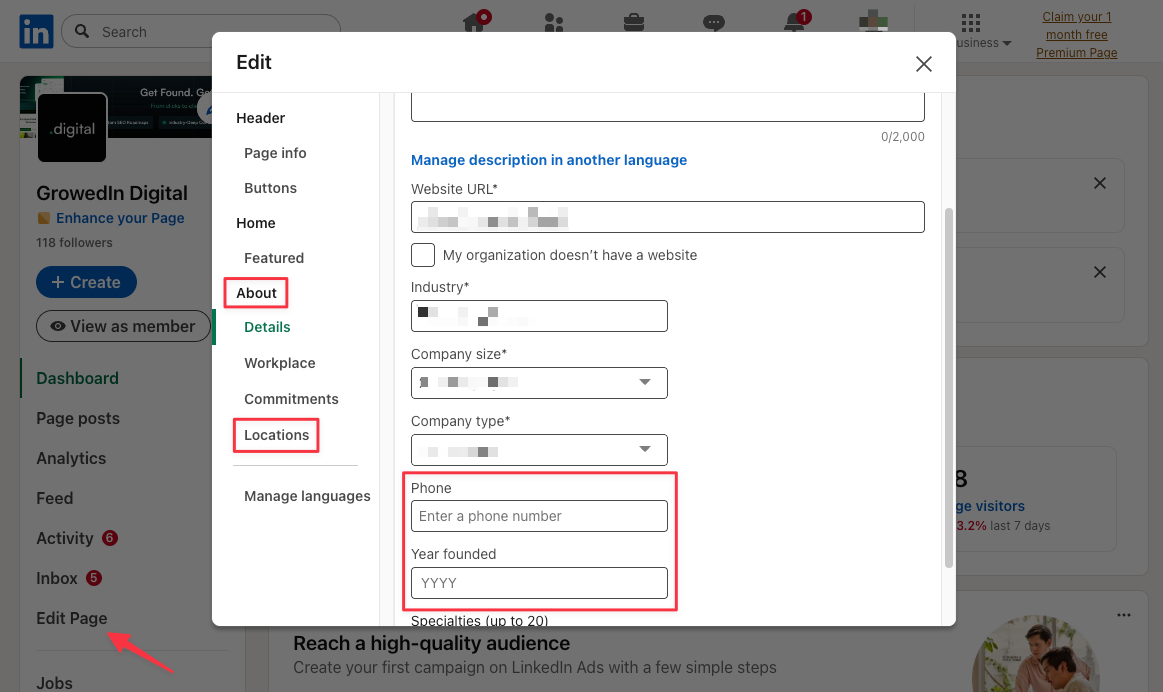
Once you reach this stage, you can fill in the following sections:
- About Us: Write a detailed description of your company in this section. It should expand on your tagline and include relevant keywords to increase discoverability. The character limit for this section is 2000 words, and LinkedIn lets you write and publish this in multiple languages.
- Location: It is a good idea to include at least one location for your company. This can be your company's registered or HQ location. Remote companies that do not have a physical office can leave it empty.
- Cover Image: Upload a cover image that represents your brand. Many brands choose a different format of their existing logo or latest marketing campaigns. Ensure that it matches your brand colors, font, and overall brand identity. The recommended size is 4200 x 700 pixels.
You can also include a company telephone number, the year your company was founded, and add LinkedIn groups that you wish to display on your page.
Once you’ve gone through the steps above, your LinkedIn company page has been successfully created and is ready for sharing. Take some time to explore your page further and check if all fields are completed.
How to Manage Your LinkedIn Company Page Effectively?
Just creating a company page on LinkedIn isn’t enough. Once you have published the page, it is important to ensure that the company page remains active, engaging, and aligned with your business goals.
Add Relevant Members
The best way to ensure your company page stays active is to assign responsibility to your most trusted team members. You can add them as administrators to ensure they have the necessary permissions to post updates, respond to leads, and make necessary changes.
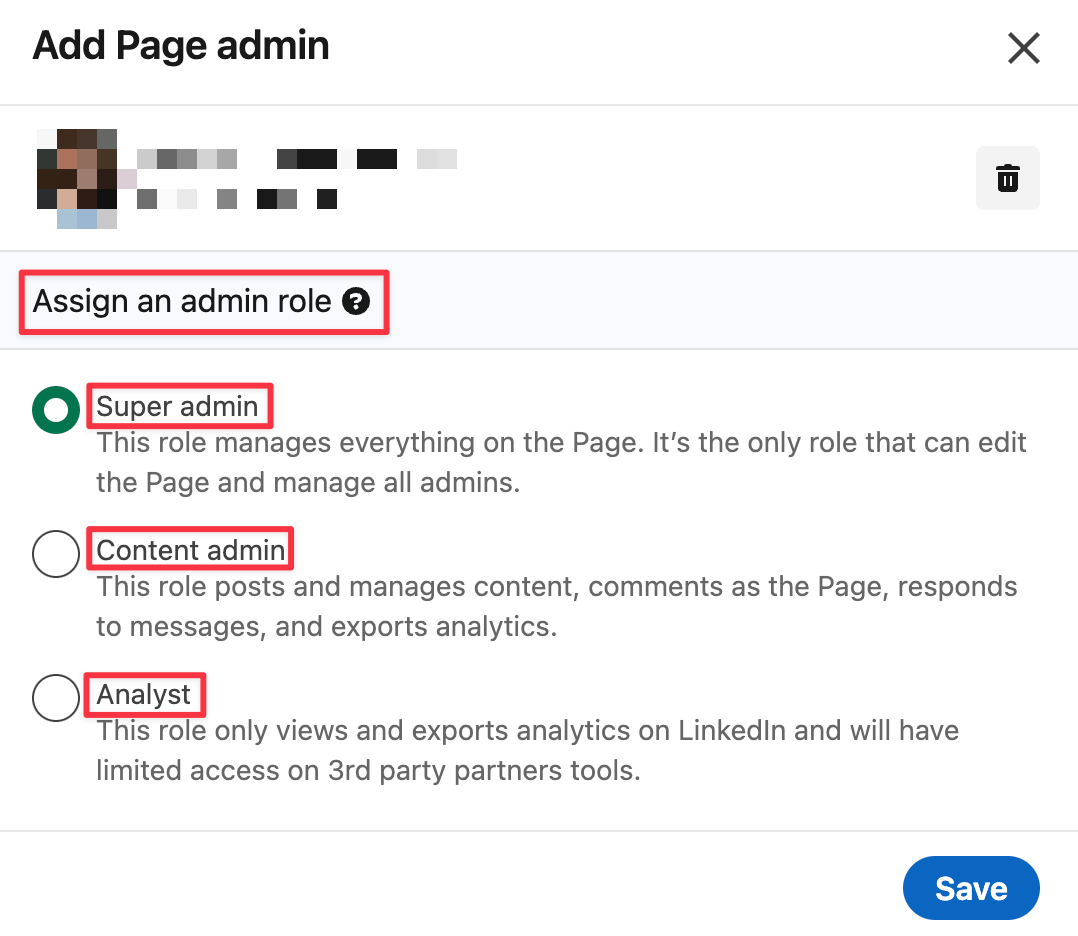
Depending on their role and position at your company, there are different types of admins you can appoint to your page:
- Super Admins: They have full access to all permissions, including adding and removing other admins.
- Content Admins: They can modify the page's content and publish posts. They can also respond to incoming messages and look at the performance data.
- Analysts: They can only review the page’s performance analytics and export data.
Monitor Your Analytics
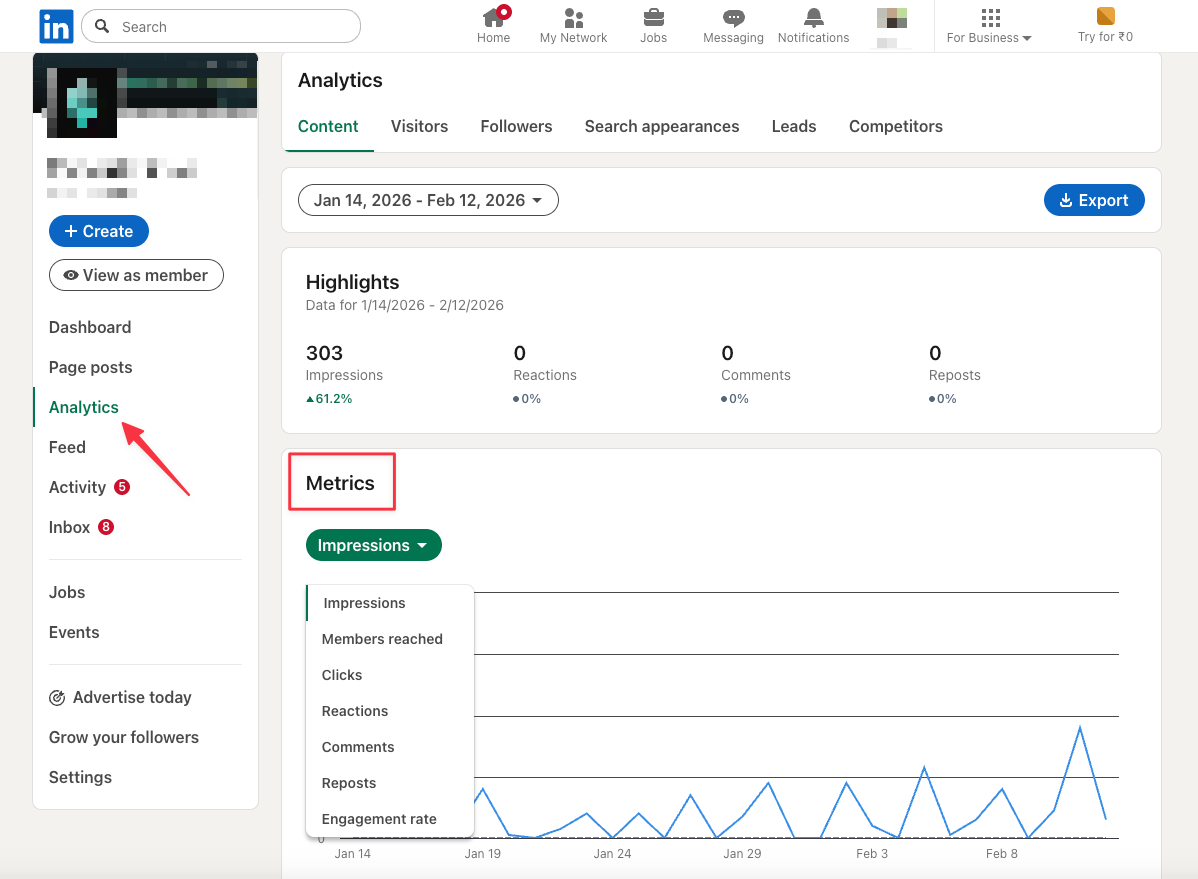
What gets measured gets improved. Regularly monitor LinkedIn page analytics to track key metrics, including unique views and impressions, across areas such as content and visitor analytics. You can use these analytics to evaluate the effectiveness of your content strategy and make data-driven decisions.
Encourage Your Colleagues to Set Up LinkedIn Accounts
Do you know what’s better than consistent activity on your LinkedIn company page? It is ensuring that, in addition to posting on the company page, all your team members are active on LinkedIn and posting about the company while tagging them in your posts.
This ensures your prospective candidates keep your company top of mind and helps you stand out from the rest of the market. If your team does not have an updated LinkedIn profile yet, this is the time to encourage them to do it while their most recent role links to your company page.
Define Content Guidelines for Your Brand
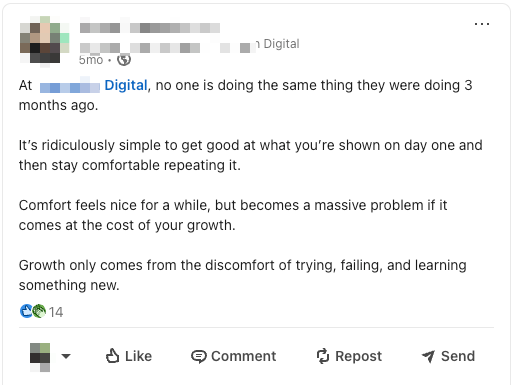
When you start posting on your LinkedIn company page, it is important to maintain consistency in tone, writing style, and content type. Develop concise and clear guidelines to uphold quality across all posts and ensure alignment with your brand objectives and values.
Build Out a Social Media Calendar
The best way to ensure consistency on social media is to prepare a well-thought-out social media content calendar that is effortless to follow. Pages on LinkedIn that post weekly experience 5.6 times more follower growth. When you plan and schedule content well in advance, you will never miss a week of posting. It will also allow you to think of original ideas rather than create something random, because you cannot miss posting.
What to Post On Your LinkedIn Business Page?
Let us break this down into two subsections:
- Different ideas of content
- Different formats of content
5 Types of Content Ideas for Your Company Page:
Company Updates
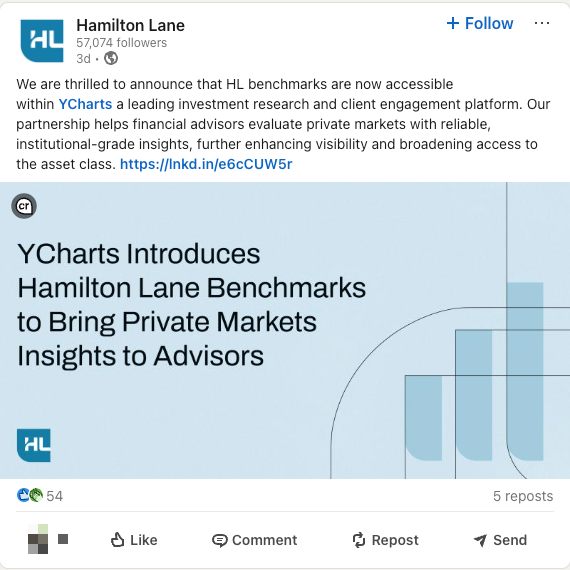
Keep your target audience informed about your business activities by sharing updates such as product launches, event announcements, and special offers, among other things. You can also share recent news articles, press releases, and media coverage featuring your company to generate interest and authenticity.
Case Studies
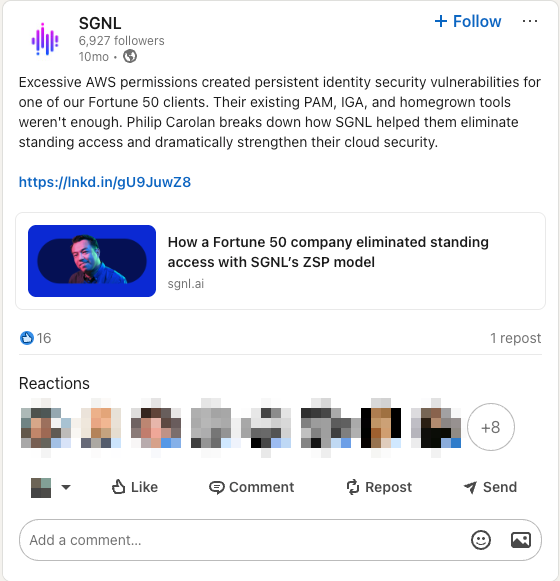
Case studies are a powerful way to show your product or service in action by demonstrating how you solved a problem for a customer. They are especially effective for B2B content marketing. By highlighting real-world examples of how you solved a particular problem for a customer, you can help your prospects understand the impact of your products or services.
Thought-Leadership Content
Sharing insightful and authoritative content can position your company as a leader in the industry and attract the right kind of eyeballs. This can include posting your analysis of recent trends and developments, offering perspectives on how they might impact the future, and how-to guides.

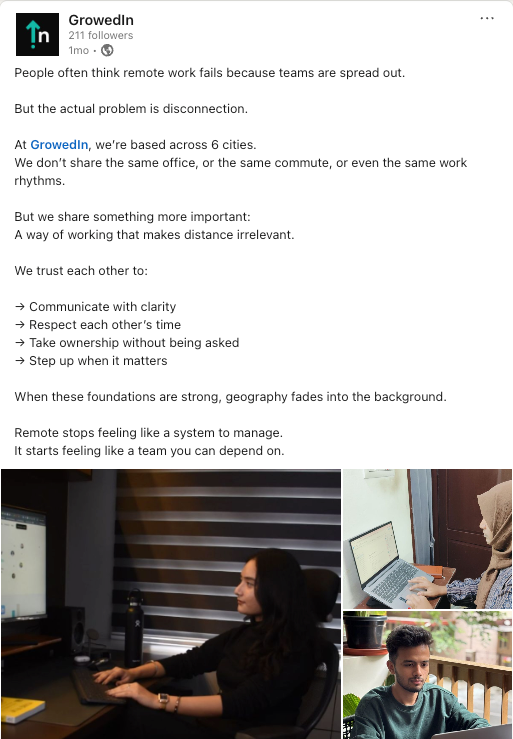
Company Culture Posts
Nothing is more refreshing and human than showcasing your company culture, including how you treat your team and service your customers. This allows you to highlight your company’s mission, values, and vision through posts that reflect your organizational ethos.
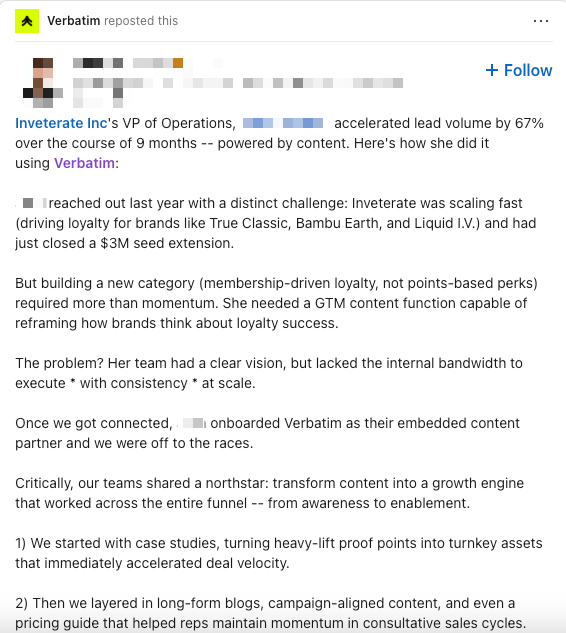
Featured Partners
You should repost content created for your brand and tag key partners, such as clients, collaborators, and sponsors. Sharing their content, especially when it includes testimonials and reviews, can build trust and credibility with your audience.
Now that you have a few content ideas in your head, let us dive into different post formats:
7 Different Types of Content Formats for Your LinkedIn Business Page
Text-Only Posts
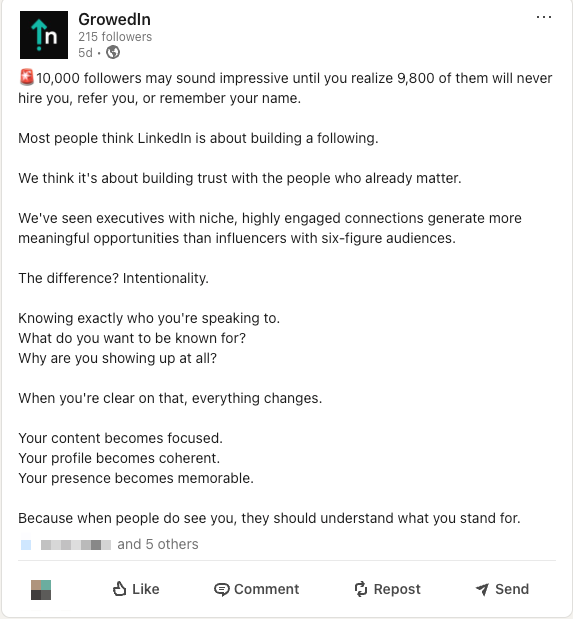
When you want to share a personal story, experience, or insight about a particular topic that requires a thoughtful explanation but not in length, consider using text-only posts. The character limit for posts is 3000 characters. LinkedIn prioritizes native content, and posts with external links may see lower reach. It may impact the reach of your posts negatively.
Carousels
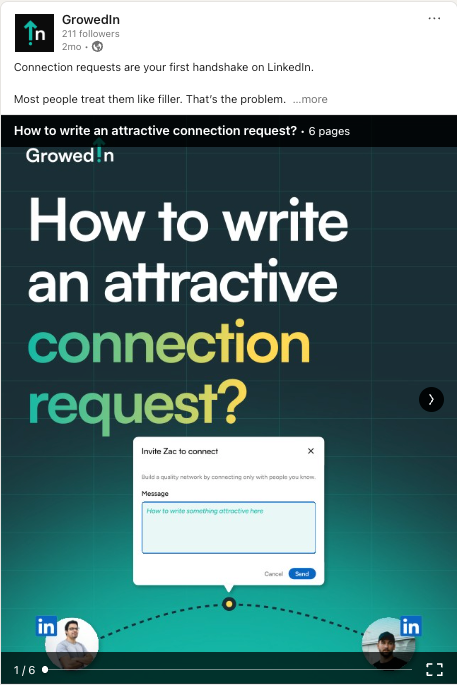
Carousels are best for sharing tips, short presentations, or case studies. Keep the presentation dimensions to 1080 x 1080 or 1920 x 1080 and save the document as a PDF. Try to design the presentation in a consistent format in terms of elements, fonts, and color scheme used.
Articles
Articles are the best for sharing thought leadership content. You can use it to write in-depth pieces of analysis that really go deep into a particular topic. Try to make it more digestible by breaking it down into sections, using headers and bullet points.

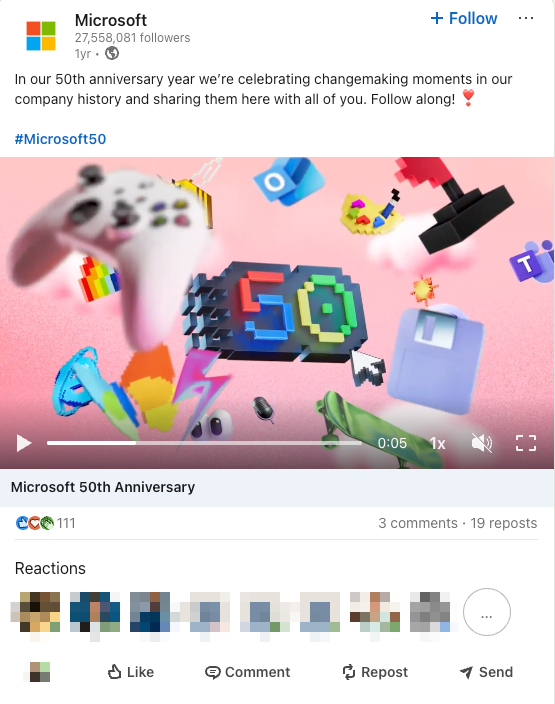
Occasions
If you want to share a milestone like an accomplishment and anniversaries, occasions can be your best bet. The celebration option allows you to make a short announcement in cases where an entire post might be irrelevant and lengthy.
Events
There are two types of events on LinkedIn:
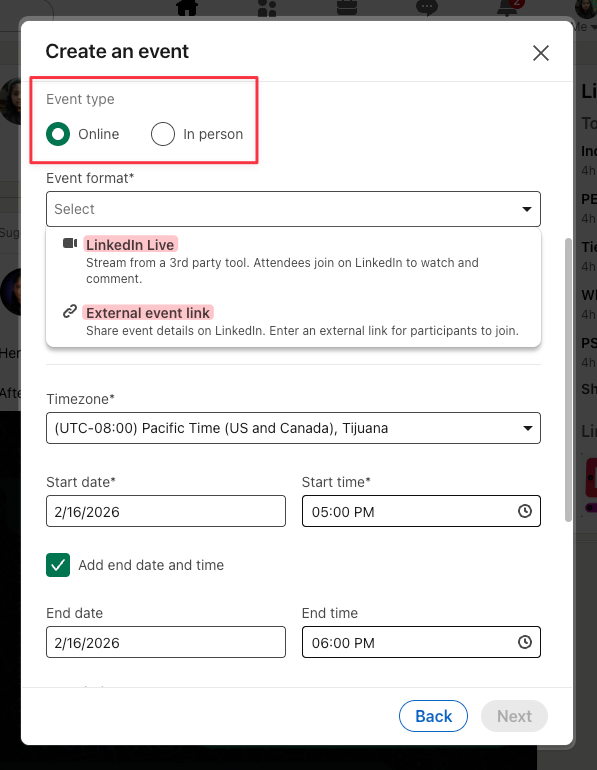
- LinkedIn Live Events: These are streamed on LinkedIn with real-time comment interactions and a recording available on your page or profile. They require LinkedIn live access and a third-party streaming tool.
- External Events: Hosted outside LinkedIn but promoted on LinkedIn. Organizers share an external registration or event link.
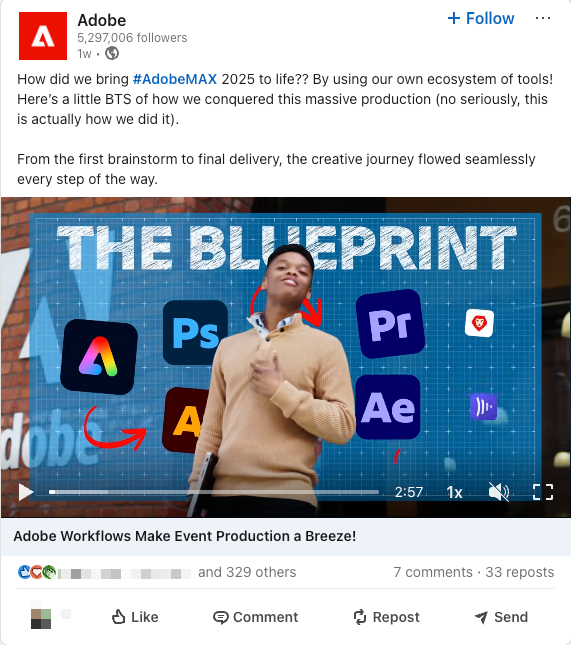
Native Videos
Native videos are great for case studies, explainer videos, and client testimonials. Please note that the maximum allowed video length is 10 minutes.
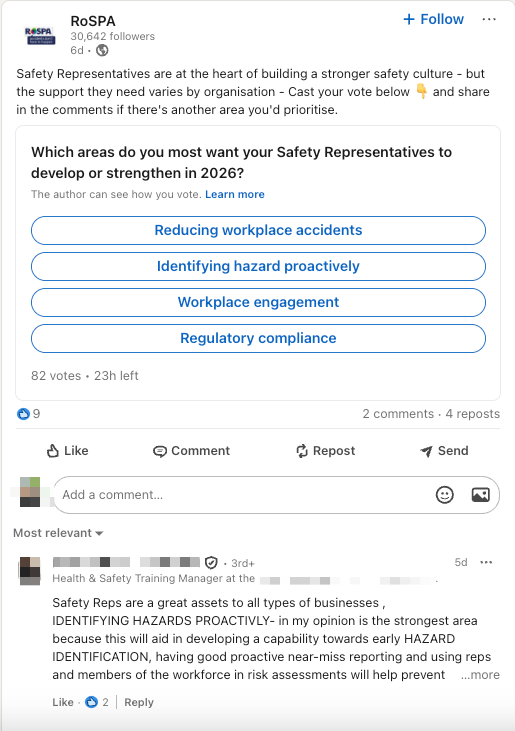
Polls
Polls are extremely useful to collect quick insights while also starting a discussion. You can use them more within groups rather than your wider public network to target a specific group of respondents.
7 Best Practices for Your LinkedIn Company Page
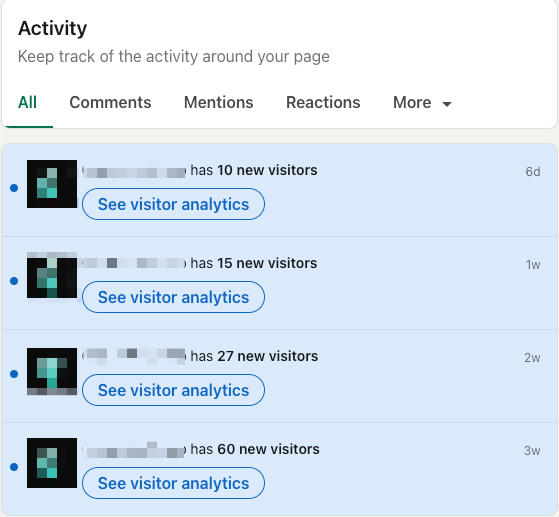
1. Complete Company Page Details:
Most business pages on LinkedIn are incomplete and have several sections missing, which makes it difficult for their target audience to discover them. Make sure that all fields on your LinkedIn company page are fully completed, especially your company name, website URL, company size, and a detailed “About Us” section.
Company pages with completed information receive 30% more weekly views compared to pages with missing information.
2. Add Relevant Page Admins:
As mentioned in one of the previous sections, it is as important to keep a company page active and running as it is to create the page. Delegate posting to your social media team by adding them as admins to help manage the company page. Please note that to be added as an admin, one must follow the LinkedIn page.
3. Post Consistently:
Once you have a team in place, ask them to maintain a social media calendar and regular posting schedule to keep your audience engaged. Consistency in frequency and timing of the posts helps build and retain followers. The best time to post on LinkedIn is when your target audience is most active, and the best way to figure that out is to experiment with different posting times.
4. Engage With Your Audience:
Actively interact with your audience by replying to comments, addressing their questions, and joining discussions. Try maintaining an engagement routine by setting aside dedicated time for certain days in a week to browse your LinkedIn feed, identify relevant posts and leave thoughtful comments.
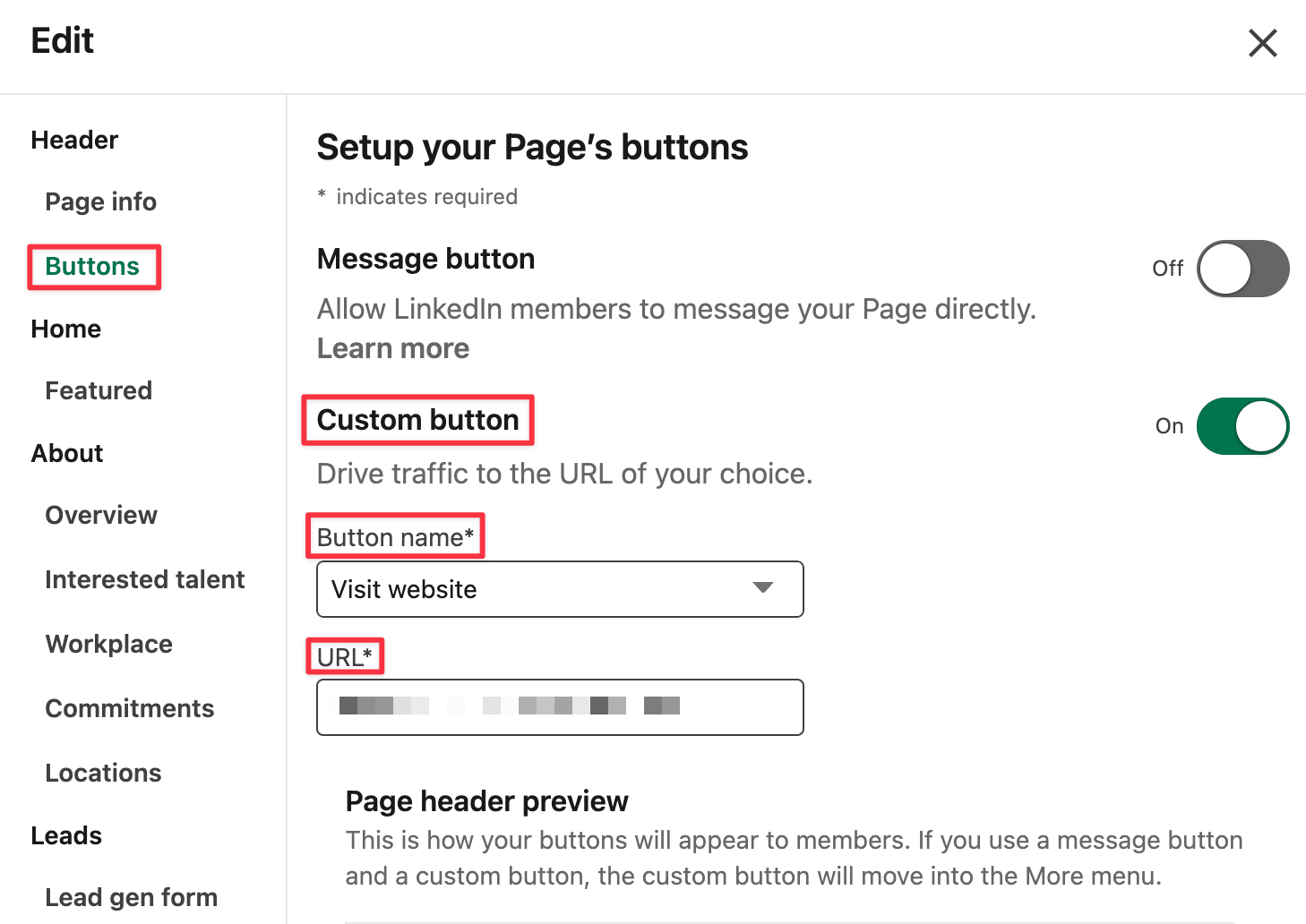
5. Customize Your Call-to-Action Button:
If you have a landing page or destination for your visitors that is different from your website, LinkedIn lets you customize the call-to-action button on your company page by selecting a suitable CTA from the dropdown menu. For example, if your primary service is online training sessions, consider customizing the call-to-action button to “Sign Up” or “Register” to direct traffic to your dedicated landing page.
6. Try LinkedIn Ads:
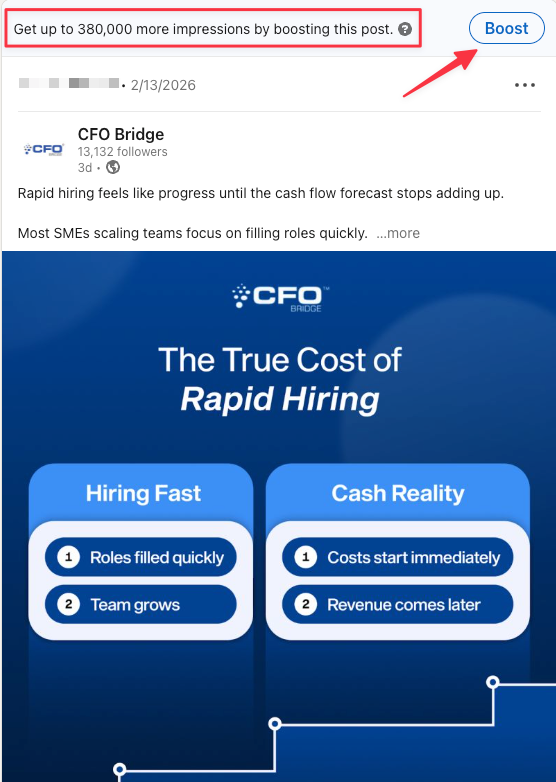
If you have a dedicated budget for performance marketing, you can use LinkedIn ads to reach a larger, targeted audience. Sponsored content, InMail, and display ads can help increase your company’s visibility. It can come in very handy while running specific campaigns.
However, if you do not want to run a full ad campaign, you can also boost a particular post as a quick, low-investment alternative.
7. Include Images:
LinkedIn posts with at least one image see twice as many comments as those without. LinkedIn has also observed that custom image collages (featuring 3-4 images in a single post) perform extremely well for organizations.
However, remember that while visual content tends to perform better than text-only posts, you should still avoid posting irrelevant images that are not contextual to the topic of the post.
What You Must Avoid
Even well-intentioned companies undermine their LinkedIn presence through avoidable mistakes. A company page is a strategic asset. Treat it accordingly.
Relying Only on Personal Profiles:
Personal profiles are powerful for building individual authority. However, they cannot replace a company page.
Without a company page, your business lacks an official, centralized presence on LinkedIn. Prospects, partners, and candidates look for a structured brand page to validate credibility, explore offerings, and assess organizational maturity.
Leaving the Page Inactive:
An inactive page signals stagnation.
If visitors see outdated content or no recent activity, they may question whether the company is operational, growing, or relevant.
Posting Without a Strategy:
Random posts with no clear purpose lead to declining engagement and fading momentum.
Before publishing, clarify your objective. Are you driving brand awareness, generating leads, attracting talent, or strengthening thought leadership? Define your content pillars, align posts with business goals, and measure the performance against the intent.
Ignoring Analytics:
LinkedIn provides meaningful data on impressions, engagement, follower demographics, and content performance. Ignoring this data means missing opportunities to improve content, timing, and formats.
Conclusion
Creating a LinkedIn company page is not just about having a presence on another social media platform. It’s about positioning your business in a professional network that values expertise and growth, which ultimately opens a multitude of opportunities for your brand.
We work with executives and industry experts to help them build authority & thought leadership on LinkedIn. If you’d like to make the most out of LinkedIn’s potential, feel free to schedule a call with us.

Frequently Asked Questions
What is the difference between a LinkedIn profile and a company page?
A personal LinkedIn profile represents the identity of an individual along with their story, education, professional experience, skills, etc. You can connect and network with other people through a personal profile. On the other hand, a LinkedIn company page represents a business or organization. It allows companies to share updates, post job openings, and engage with followers. It is the company’s brand presence on LinkedIn.
Is it free to create a LinkedIn business page?
There is no cost involved in creating the actual company page on LinkedIn and publishing content.
How often should I publish on my LinkedIn company page?
It’s recommended to post on your LinkedIn company page at least once a week to maintain a consistent presence. Visitors shouldn’t be wondering about whether or not the company still operates. Ideally, you should aim for 2-3 posts per week to build and maintain an active and engaging following.
Is it compulsory to have a company page on LinkedIn?
No, it is not compulsory to have a company page on LinkedIn. However, having a company page is highly recommended for your brand to have better visibility, attract top-notch talent, and build thought leadership in your industry.
How do I know if my company page is getting views?
LinkedIn Analytics for company pages allows you to track various metrics, including page views, unique visitors, and engagement rates. You can access these analytics from the admin view of your company page.
Can you create a LinkedIn company page without a personal profile?
No, you cannot set up a business page on LinkedIn without a personal LinkedIn profile. You need to sign up on LinkedIn to build your own profile first in order to create and manage a company page.
How to Create a Company Page on LinkedIn [+ 7 Best Practices]
- A LinkedIn company page gives your business an official presence that builds credibility beyond a personal profile.
- Well-managed company pages can significantly expand reach and accelerate brand visibility before buyers make decisions.
- Creating a page involves selecting the right page type, completing all details, and optimizing visuals and positioning.
- Consistent posting, clear content guidelines, and active employee participation strengthen long-term growth.
- Use a mix of content ideas such as company updates, case studies, thought leadership, culture posts, and partner highlights.
- Leverage multiple formats including text posts, carousels, articles, videos, polls, events, and milestone announcements.
- Avoid inactivity, random posting, incomplete profiles, and ignoring analytics to ensure sustained impact and measurable results.


Insights Hub
Employer Branding on LinkedIn

The Best Time To Post on LinkedIn In 2026